
Brand shell
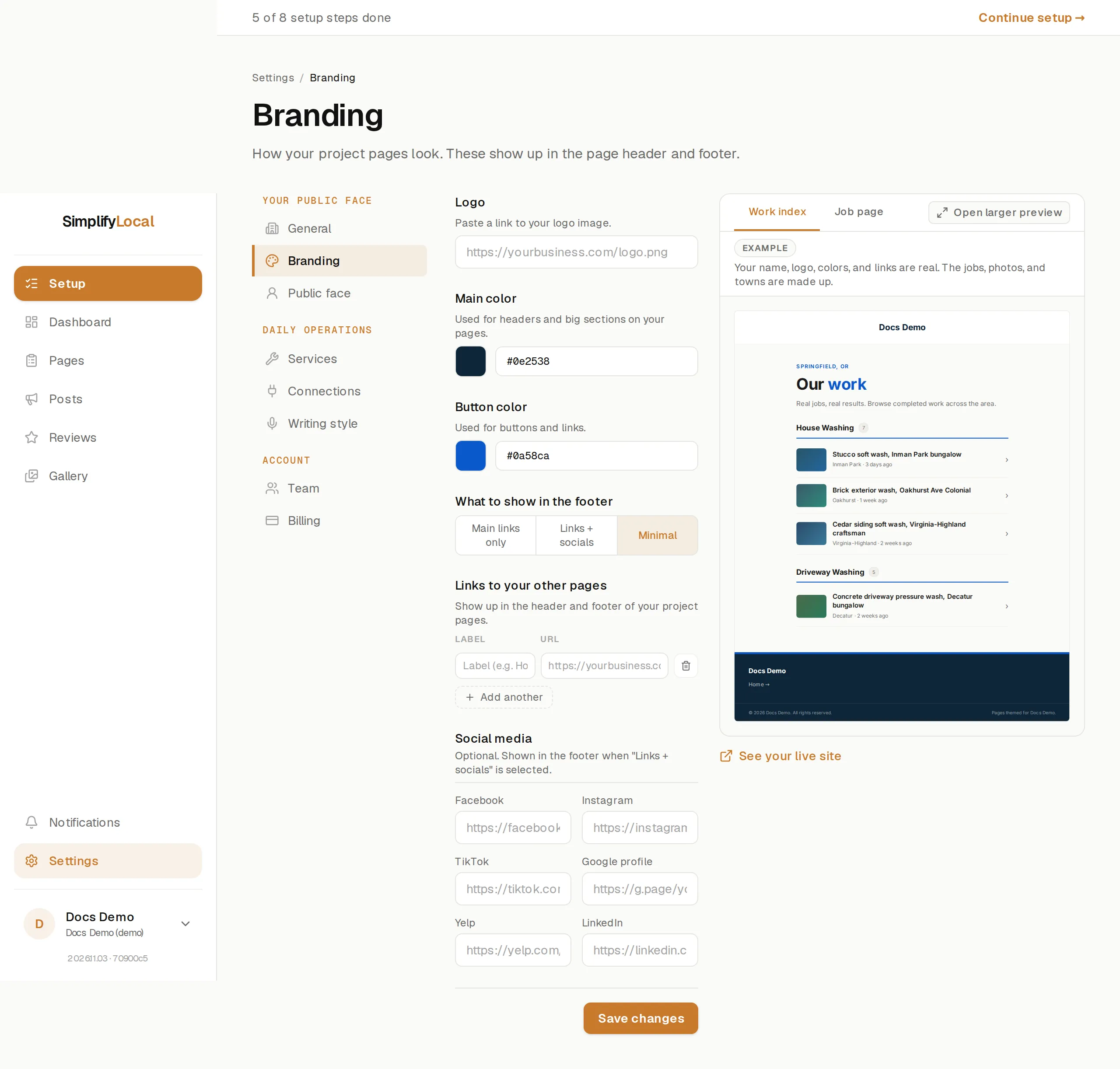
Project pages are themed to the business: your logo, your colors, your links, on your domain. The settings live under Settings → Branding: the logo shows in the header and footer, the colors across the page, and the links and social profiles in the footer only (the header carries no navigation, so it never competes with the site’s own menu). A live preview on the same page shows the changes on example pages before you save.
What you can set
Section titled “What you can set”| Setting | What it does |
|---|---|
| Logo | A link to the logo image. Shown in the header and footer. With no logo, the business name appears as text instead. |
| Main color | Used for headers and big sections on the pages. |
| Button color | Used for buttons and links. Text on buttons switches between black and white on its own to stay readable. |
| What to show in the footer | Main links only, Links + socials, or Minimal. |
| Links to your other pages | Up to 6 links, each a label and a URL, such as Home or Get a quote. Shown in the footer when the footer is set to one of the two link options. The app suggests links it found in the site’s own menu; nothing is added until you pick one and save. |
| Social media | Facebook, Instagram, TikTok, Google profile, Yelp, LinkedIn. Shown in the footer’s “Find us” row when the footer is set to Links + socials. Each one also tells search engines these profiles belong to the business. |
Colors are six-digit hex values, for example #0e2538. Links and logo URLs must be full addresses starting with https://.
What the pages always show
Section titled “What the pages always show”Whatever the footer option, every project page carries:
- The logo (or name) and a Back to Your Business link in the header, pointing at the site’s home page.
- The business name, phone number and main service area in the footer, as entered under Settings → General, plus the license number if set.
- A Recent work link to
/workand, once there are enough pages, links to the service and service-area index pages. - A copyright line and “Pages themed for Your Business.” There is no SimplifyLocal badge.
What branding doesn’t change
Section titled “What branding doesn’t change”Page layout, fonts and the order of sections are the same for every business. Only what’s listed above is configurable. The phone number, the main button (Call or Book) and its label come from Settings → General, not from Branding.
Saving
Section titled “Saving”Press Save changes. The same branding applies to every project page.